How ERP Can Connect E-Commerce With Inventory and Accounting?
Running an e-commerce business involves more than listing products and accepting online orders. Every sale affects inventory levels, revenue records, payment reconciliation, order fulfillment, and financial reporting. When these activities are managed through separate systems, even a small increase in orders can create unnecessary complexity.
For example, a customer might purchase a product from an online store while the inventory spreadsheet still shows the previous stock quantity. The accounting team may then need to enter the sale manually, while warehouse staff update stock separately. These disconnected processes can lead to overselling, delayed order fulfillment, inaccurate financial reports, and time-consuming reconciliation.
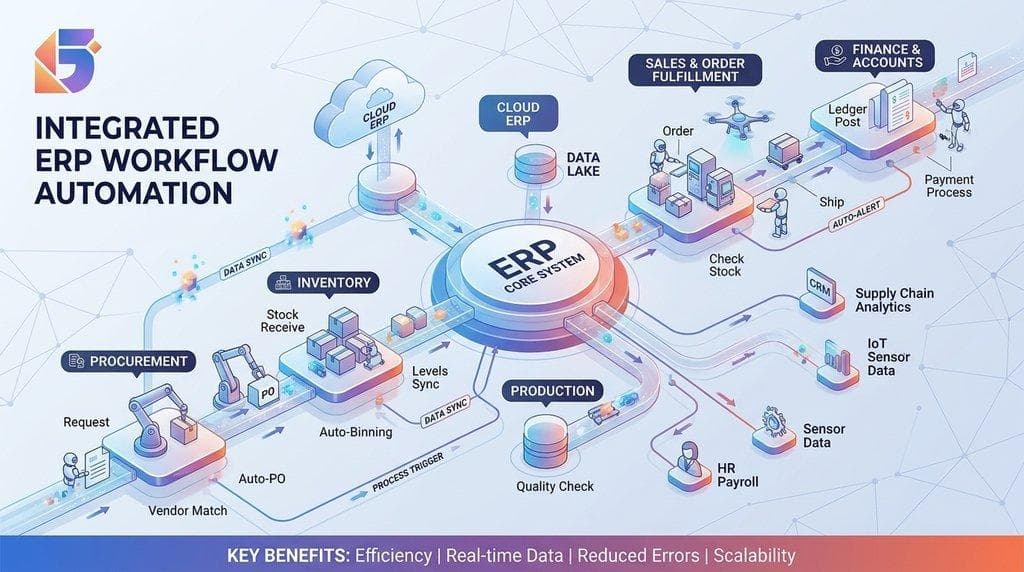
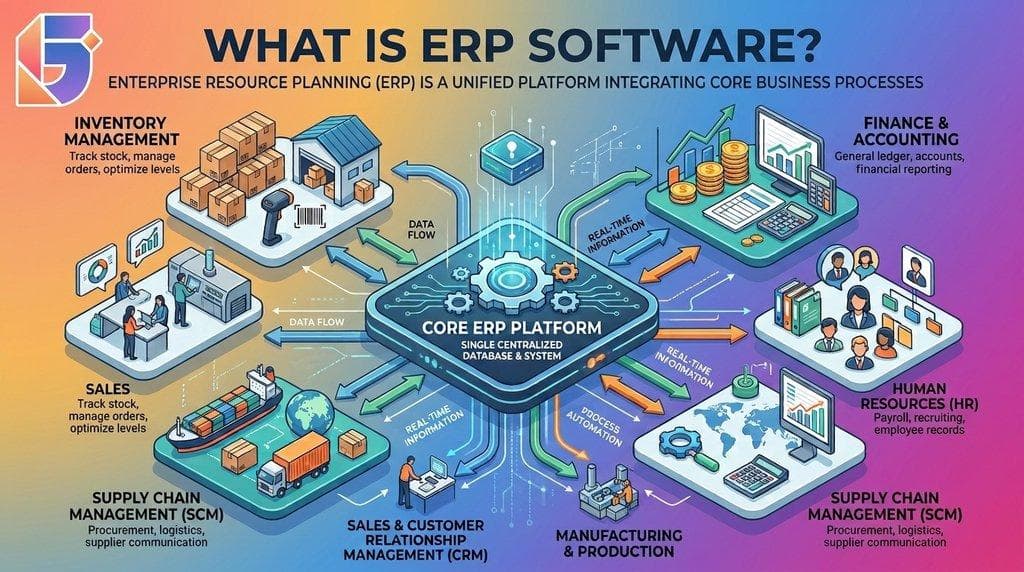
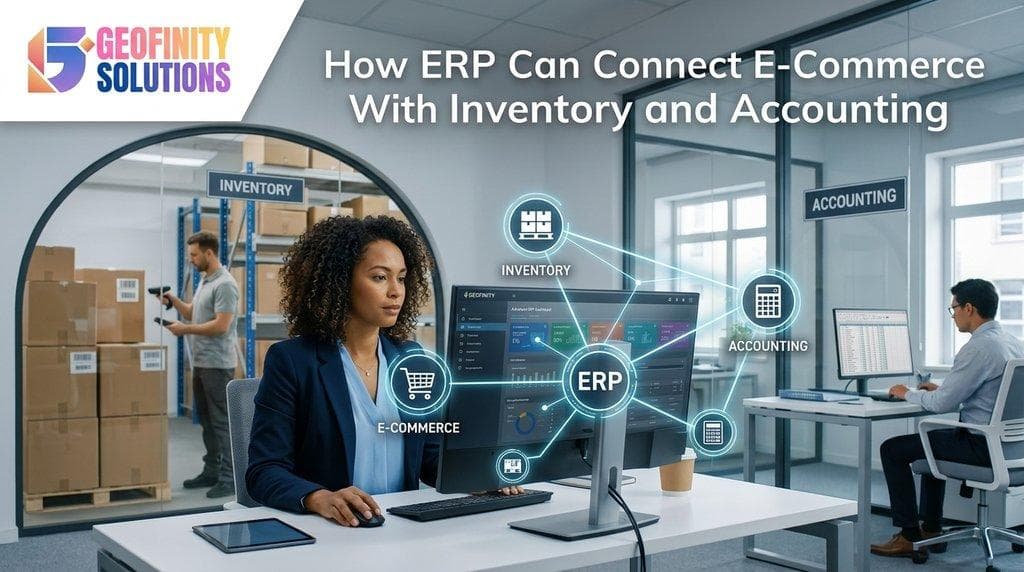
ERP (Enterprise Resource Planning) software helps connect e-commerce, inventory, and accounting by bringing essential business information into an integrated system. When configured correctly, an ERP can synchronize order information, update stock records, record financial transactions, and give teams a more consistent view of business performance.
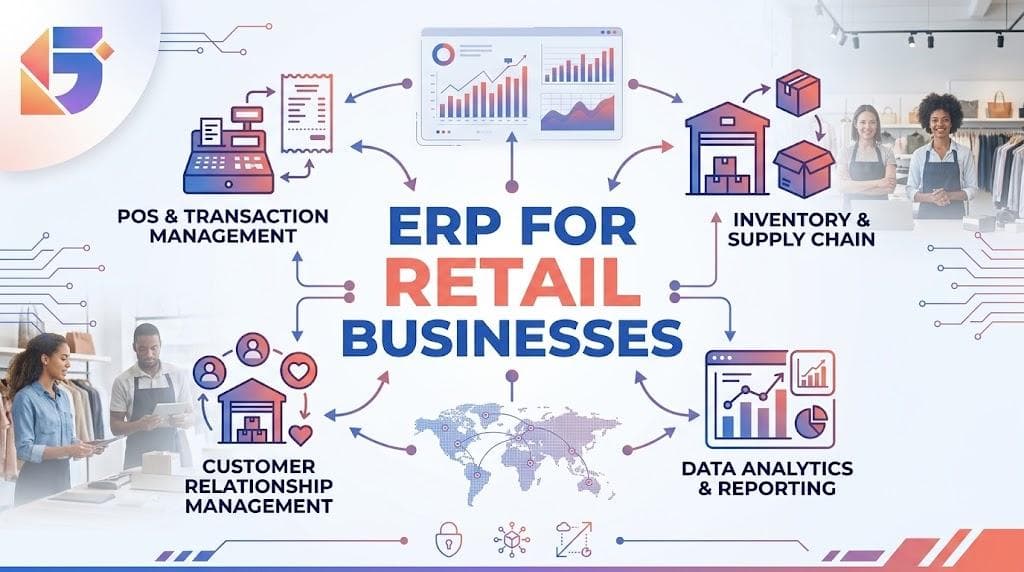
This integration is particularly useful for growing businesses that sell through websites, online marketplaces, physical stores, or multiple sales channels.
In this guide, we explain how ERP connects e-commerce with inventory and accounting, how data moves between these systems, the benefits businesses can expect, and what to consider when implementing an integrated solution.
What Is ERP Integration With E-Commerce?
ERP integration with e-commerce connects an online store to an enterprise resource planning system so business information can flow between sales, inventory, and finance.
An e-commerce platform manages customer-facing activities such as product browsing, shopping carts, checkout, and order placement. An ERP system typically manages back-office operations, including stock levels, purchasing, order processing, accounting, and financial reporting.
When these systems are connected, teams can work with shared, synchronized information instead of repeatedly transferring data between applications.
For example, when a customer places an order on an online store:
- The order information can be transferred to the ERP.
- The available inventory can be updated or reserved.
- The warehouse team can receive the order for fulfillment.
- The accounting module can record the relevant financial transactions.
- Payment and settlement information can be reconciled against the order.
The exact workflow depends on the integration design, payment arrangements, and business rules. Some updates happen almost immediately, while others run on a scheduled basis.
The Three Core Systems
✦ E-commerce platform
Captures orders, customer details, product selections, discounts, and checkout information. It is the primary customer-facing sales channel.
✦ Inventory management
Tracks stock availability, warehouse locations, incoming goods, stock movements, reservations, returns, and reorder requirements.
✦ Accounting and finance
Records sales, receivables, payment fees, refunds, taxes, expenses, and other financial activity to support reconciliation and reporting.
An ERP can bring inventory and accounting together within the same platform and connect those functions to the online store. Where the business already uses separate inventory or accounting software, integration may connect those existing systems rather than replace them entirely.
How ERP Connects E-Commerce, Inventory, and Accounting?
The main advantage of integration is that a single business event can trigger coordinated updates across multiple systems. Instead of asking employees to enter the same information several times, the integration transfers the relevant data according to defined rules.
▸ Product Information and Pricing Synchronization
Product information must remain consistent across the online store and inventory system.
An ERP may store or manage information such as:
- Product names and internal SKUs.
- Product variants and units of measurement.
- Purchase costs and selling prices.
- Supplier details.
- Stock quantities and warehouse locations.
- Product categories and tax classifications.
When a product is added or updated in the system responsible for maintaining that information, the relevant changes can be sent to the e-commerce platform.
For example, a retailer selling shoes needs to distinguish between different sizes and colors. If every variant has a unique stock record, the online store must display availability for the correct variant rather than only the overall product quantity.
Why it matters: Consistent product data helps reduce listing errors, incorrect prices, and confusion between what customers order and what the warehouse actually holds.
Businesses should establish which system owns each field. Product descriptions might be maintained in the e-commerce platform, while stock quantities and internal product codes are controlled by the ERP.
▸ Automatic Order Synchronization
When a customer completes checkout, the e-commerce platform creates an order containing information such as:
- Order number and date.
- Customer details.
- Products, quantities, and prices.
- Discounts and shipping charges.
- Payment method and payment status.
- Delivery address.
An integration can transfer this information to the ERP, where the order becomes available to the relevant operational teams.
Depending on the workflow, the ERP can then generate a sales order, check stock availability, initiate picking and packing, and prepare the required documents.
This reduces duplicate data entry and gives staff a more consistent view of order status. Order synchronization is a core capability of common e-commerce ERP integrations.
▸ Real-Time Inventory Updates
Inventory accuracy is especially important when products are sold through multiple channels.
Suppose an online store displays five units of a product. If two customers place orders and the stock information is not updated promptly, the store could accept more orders than the business can fulfill.
An integrated ERP can coordinate stock reservations and inventory updates so the available quantity reflects confirmed orders, warehouse movements, and other relevant changes.
A simplified calculation is:
Available Stock=Physical Stock−Reserved Stock+Expected Receipts
This is an illustrative planning formula. Actual ERP systems may account for damaged stock, safety stock, stock in transit, and other inventory categories separately.
For businesses with several warehouses, the system can also distinguish between stock held at each location. The storefront can then use the appropriate availability rules to decide which products can be sold.
Important: “Real-time” synchronization depends on the integration method and system configuration. Businesses should test how quickly stock changes appear, how reservations work, and what happens when a connection temporarily fails.
▸ Automated Accounting Entries
When an order is placed, the business needs to record the financial activity correctly. The accounting treatment depends on whether the order has been paid, fulfilled, invoiced, or refunded.
An ERP can help automate the creation of accounting records based on configured rules and events.
For example, the system may record:
- Sales revenue when the appropriate revenue-recognition conditions are met.
- Accounts receivable when a customer owes money.
- Payment receipts when funds are received.
- Payment processor fees as expenses.
- Tax amounts in the relevant accounts.
- Refunds and credit notes when a return is approved.
- Cost of goods sold and inventory reductions under the configured accounting method.
These events do not always occur at checkout. For example, an order may be placed before payment is confirmed, or revenue may need to be recognized when goods are delivered rather than when the order is created. The accounting configuration should reflect the business's applicable accounting policies.
The key benefit is that accounting can use validated transaction data from the sales and inventory workflows instead of relying entirely on manual entries.
▸ Payment Reconciliation
The amount a customer pays is not always identical to the amount that reaches the business's bank account.
An order may include a discount, shipping charges, taxes, a payment gateway fee, or a partial refund. Payment providers may also settle transactions in batches.
An integrated system can match order records with payment transactions and settlement reports to identify differences.
For example:
| Transaction item | Illustrative amount |
|---|---|
| Product sales | NPR 5,000 |
| Shipping charged | NPR 200 |
| Discount | −NPR 300 |
| Customer payment | NPR 4,900 |
| Payment processing fee | −NPR 100 |
| Settlement amount | NPR 4,800 |
This example assumes the figures relate to the same transaction and excludes any separately calculated taxes. Actual accounting entries depend on how shipping, discounts, taxes, and fees are treated.
The ERP can help the finance team reconcile the NPR 4,800 settlement against the order and fee records, rather than incorrectly treating the full customer payment as the amount received in the bank.
▸ Returns, Refunds, and Stock Adjustments
Returns can create discrepancies if the sales, warehouse, and accounting teams update their records independently.
An integrated return workflow may include:
- The customer requests a return.
- Staff approve the return under the business's policy.
- The warehouse receives and inspects the item.
- The ERP records the returned quantity.
- Saleable items are returned to available inventory.
- Damaged or unsaleable items are recorded separately.
- A refund or credit note is processed as appropriate.
- The financial records are updated.
Not every returned item should automatically become available for resale. The inventory status should depend on the inspection outcome and the business's return policy.
Connecting these steps helps keep stock and financial records aligned throughout the order lifecycle.
A Practical Example: From Online Order to Financial Report
Consider a Nepalese retailer selling electronics through its website and a physical shop. Before integration, the online store, stock spreadsheet, and accounting software are maintained separately.
When a customer orders a laptop, an employee checks the stock spreadsheet, confirms availability, copies the order into another system, and later enters the sale into accounting. If the same laptop sells in the physical store before the online order is processed, the business may face an inventory discrepancy.
With a properly integrated ERP, the workflow can look different.
➜ Customer places an order
The online store captures products, quantities, customer information, and payment status.
➜ ERP receives the order
The integration creates or updates the corresponding order record.
➜ Inventory
Stock is reserved or reduced according to the configured order workflow.
➜ Accounting
Relevant invoices, payment records, and financial entries are generated at the appropriate stage.
➜ Fulfillment and reporting
Staff process the order while managers review sales, stock, payments, and financial performance.
The workflow reduces the need for repeated manual updates. It also helps teams identify exceptions, such as failed payments, insufficient stock, or missing settlement records.
However, integration does not mean every event must automatically post to every module. Good implementation separates order creation, payment confirmation, fulfillment, invoicing, and settlement so each action happens at the correct stage.
Key Benefits of Connecting E-Commerce With Inventory and Accounting
▸ Fewer Manual Tasks and Data Entry Errors
Without integration, employees may copy order details from the online store into inventory software and then re-enter the same information in accounting.
Each additional manual step creates opportunities for incorrect quantities, duplicate orders, missing records, and inconsistent prices.
ERP integration can automate routine data transfers, giving employees more time to manage exceptions, assist customers, and improve business processes.
▸ Better Inventory Visibility Across Sales Channels
Businesses that sell through a website, marketplace, and physical shop need a consistent view of available stock.
An integrated ERP can combine inventory movements from different channels and warehouses, subject to the capabilities of the systems involved.
This helps businesses:
- Reduce overselling caused by stale inventory data.
- Identify low-stock products sooner.
- Monitor stock by location.
- Coordinate transfers between warehouses.
- Make more informed purchasing decisions.
Inventory visibility is one of the main reasons businesses connect commerce platforms with ERP systems.
▸ Faster and More Consistent Order Fulfillment
When orders reach the ERP automatically, the fulfillment team can work from a structured queue rather than relying on forwarded emails or manually maintained spreadsheets.
Depending on the configuration, the system can support picking lists, packing workflows, shipment status updates, invoice generation, and customer notifications.
This creates a clearer process from checkout to delivery and helps staff identify delayed orders more easily.
▸ More Reliable Financial Records
Accounting teams need to understand not only how much was sold but also how much was collected, what fees were charged, what refunds were issued, and what costs were incurred.
Integration brings together relevant sales, payment, inventory, and accounting information. It can reduce manual reconciliation and provide a more consistent basis for financial reports.
Accurate reporting still depends on proper account mapping, tax configuration, transaction matching, and review of exceptions.
▸ Improved Cash Flow and Business Planning
When sales, receivables, expenses, and payments are recorded consistently, management can make more informed decisions about purchasing and cash flow.
For example, a retailer may discover that a product sells quickly but requires frequent replenishment. By reviewing sales trends and stock levels together, the business can plan purchasing more effectively.
An ERP does not guarantee better cash flow, but it can provide the operational information needed to manage it more deliberately.
▸ A Better Customer Experience
Customers expect accurate product availability, clear order confirmations, and timely delivery updates.
When the e-commerce platform and ERP share order and inventory information, businesses can reduce situations where customers purchase unavailable products or receive inconsistent updates.
This can improve confidence in the store and reduce the workload associated with order-status enquiries.
▸ Better Management Reporting
An integrated setup can bring sales, inventory, purchasing, and accounting data into a common reporting environment.
Managers can use dashboards to examine questions such as:
- Which products generate the most revenue?
- Which items have low stock or slow turnover?
- What is the value of pending customer payments?
- How do discounts and returns affect sales?
- Which channels generate the most orders?
- What are the estimated margins after product costs and relevant fees?
The quality of these reports depends on complete data, consistent definitions, and correctly configured financial and inventory processes.
ERP Integration Methods for E-Commerce Businesses
There is no single integration approach that suits every business. The right choice depends on the e-commerce platform, ERP system, transaction volume, budget, and complexity of the required workflows.
| Integration method | How it works | Best suited for |
|---|---|---|
| Native connector | A supported connector links the platforms | Common platform combinations with standard requirements |
| Middleware or iPaaS | An integration platform manages data exchange between systems | Businesses using multiple connected applications |
| Custom API integration | Developers build connections using system APIs | Unique workflows or systems without suitable connectors |
| File-based exchange | Data is transferred through scheduled files | Simple or legacy systems with limited integration options |
These methods differ in setup effort, monitoring needs, and flexibility. Native connectors and integration platforms can reduce custom development, while API-based integrations offer more control when standard options are insufficient.
▸ Native Connectors
A native connector can be a practical starting point when the e-commerce platform and ERP support a compatible integration.
Before selecting one, confirm that it handles the data your business actually needs, including order updates, stock quantities, refunds, product variants, taxes, and payment information.
▸ Middleware and Integration Platforms
Middleware acts as a bridge between applications. It can transform data, apply rules, and coordinate updates across an e-commerce platform, ERP, payment service, and warehouse management system.
This approach is useful when multiple systems need to exchange information and a collection of separate custom connections would become difficult to maintain.
▸ Custom API Integration
A custom integration uses application programming interfaces (APIs) to connect systems according to specific business requirements.
It may be appropriate when the business has unique pricing rules, a specialized order workflow, or a legacy system without a suitable connector. The additional flexibility comes with development, testing, monitoring, and ongoing maintenance responsibilities.
▸ How to Choose
Start by documenting the required data flows and checking the capabilities of your existing software. If a supported connector meets your needs, it may be more practical than building a custom solution.
If the workflow is complex, involve both the software provider and the integration developer before finalizing the design.
Essential ERP Features for E-Commerce Integration
When evaluating ERP software for an online business, focus on the features that support the entire order lifecycle rather than choosing a system based on a long list of modules.
▸ Inventory and Warehouse Management
Look for stock tracking by product and location, stock reservations, purchase orders, stock adjustments, returns, and reorder alerts.
Businesses with multiple warehouses should confirm how the system calculates available stock and allocates orders to fulfillment locations.
▸ Sales and Order Management
The ERP should support order imports, order status tracking, fulfillment workflows, cancellations, and return processing.
Check how the integration handles duplicate messages, failed updates, and orders that change after checkout.
▸ Accounting and Financial Management
Relevant capabilities include sales invoices, accounts receivable, payment reconciliation, refunds, tax configuration, general ledger entries, and financial reporting.
Businesses operating in Nepal should verify that the system supports their actual accounting workflows and applicable tax requirements. Do not assume that every ERP or connector automatically provides complete local tax compliance.
▸ API and Integration Support
Good integration capabilities help connect the ERP to online stores, marketplaces, payment providers, and other applications.
Ask about API documentation, authentication, rate limits, error logs, retry mechanisms, and the provider's approach to software updates.
▸ Reporting and Analytics
Dashboards should provide useful information about orders, stock, sales, returns, receivables, and other relevant metrics.
Ensure that reports distinguish between order value, recognized revenue, collected cash, and profit. These figures are related but not interchangeable.
▸ Access Controls and Audit Trails
The system should let businesses restrict access based on job responsibilities and maintain records of important changes.
For example, warehouse staff may need to update stock movements, while only authorized finance staff should approve certain accounting adjustments.
Common ERP Integration Challenges and How to Avoid Them
Integration can improve business processes, but only when the connected systems exchange accurate information and follow clearly defined rules.
▸ Inconsistent Product and Customer Data
The same product may have different SKUs or names in different systems. Customer records may also be duplicated.
Solution: Clean existing data before migration and establish consistent identifiers for products, customers, warehouses, and orders.
▸ Duplicate or Missing Orders
An integration may receive a message more than once, or a temporary connection failure may interrupt an update.
Solution: Use unique order identifiers, duplicate-prevention rules, error logs, and retry mechanisms. Establish a process for identifying and resolving orders that fail to synchronize.
▸ Incorrect Inventory Calculations
Physical stock, reserved stock, returned items, and goods in transit may be treated differently across systems.
Solution: Agree on the definition of available stock and test scenarios involving cancellations, partial shipments, returns, and multiple warehouses.
▸ Accounting Mismatches
Order totals, gateway settlements, refunds, taxes, and payment fees may not map directly to the same accounting entries.
Solution: Define account mapping and reconciliation rules with the finance team. Test the full transaction lifecycle before allowing automated postings in production.
▸ Integration Delays
Some connections update almost immediately, while others synchronize at scheduled intervals. A delay may create a temporary mismatch between the store and ERP.
Solution: Set synchronization expectations based on business needs. Monitor update failures and decide which events require immediate processing.
▸ Overcomplicated Implementation
Attempting to connect every application and automate every workflow in the first phase can increase cost and delay the launch.
Solution: Begin with the essential flows: products, inventory, orders, fulfillment status, payments, and accounting. Expand the integration after the core workflow is stable.
▸ Lack of Staff Training
Employees may continue using old spreadsheets or bypass the new workflow if they do not understand the system.
Solution: Train sales, warehouse, and finance teams separately on the tasks they perform. Provide clear documentation and assign responsibility for handling integration exceptions.
How to Implement ERP Integration Successfully
A successful integration starts with business processes, not just technical connections. The following steps help businesses plan implementation and reduce disruption.
- Assess your existing systems
- Document your e-commerce platform, inventory software, accounting tools, payment providers, and warehouses. Identify where data is duplicated and where manual work causes delays or errors.
- Map the complete order lifecycle
- Document what happens from product listing and checkout through payment, stock reservation, fulfillment, invoicing, settlement, and returns. Identify which team or system is responsible for each step.
- Define the source of truth
- Decide which system controls product details, stock quantities, customer records, order status, and financial data. Clear ownership prevents conflicting updates.
- Select the integration method
- Evaluate native connectors, middleware, and custom APIs against your requirements, budget, technical resources, and long-term maintenance needs.
- Clean and map the data
- Standardize product SKUs, customer records, tax categories, warehouse identifiers, and account mappings. Agree on how missing or invalid records will be handled.
- Test real business scenarios
- Test successful orders, failed payments, cancellations, partial shipments, refunds, stock shortages, duplicate messages, and temporary system outages. Verify both inventory and financial outcomes.
- Launch in a controlled way
- Start with a limited set of products, channels, or transactions if practical. Compare ERP records with the source systems before expanding to the full business.
- Monitor and improve
- Track synchronization failures, stock discrepancies, unmatched settlements, and delayed orders. Assign responsibility for reviewing exceptions and maintaining the integration.
Key Metrics to Monitor After Integration
| Metric | What it helps measure |
|---|---|
| Inventory discrepancy rate | Differences between recorded and verified stock |
| Order synchronization failures | Orders that fail to transfer or update correctly |
| Order fulfillment time | Time from order confirmation to dispatch |
| Payment reconciliation rate | Transactions matched successfully to settlements |
| Return processing time | Time required to complete return and refund workflows |
| Manual correction volume | How often staff need to repair integration-related records |
Establish baseline measurements before implementation. This makes it possible to evaluate whether the integrated system is actually improving operations.
Is ERP Integration Suitable for Businesses in Nepal?
ERP integration can be valuable for Nepalese businesses selling through online stores, social media channels, marketplaces, and physical outlets.
As order volumes grow, manually coordinating stock and financial records becomes more difficult. An integrated system can help retailers, wholesalers, distributors, and manufacturers maintain more consistent records across their sales and operational processes.
For businesses in Nepal, there are several practical considerations:
- Payment providers: Verify whether the integration supports the payment gateways and settlement reports your business uses.
- Tax and accounting workflows: Confirm support for applicable VAT, PAN, invoicing, and reporting requirements with a qualified accounting professional.
- Multiple sales channels: Establish how orders from websites, marketplaces, and physical stores affect the same stock records.
- Local support: Check whether the software provider can assist with configuration, staff training, and troubleshooting.
- Connectivity and recovery: Plan how orders and inventory updates will be handled if an internet connection or third-party service becomes unavailable.
- Business growth: Select a solution that can accommodate additional warehouses, product lines, sales channels, or accounting requirements when needed.
Businesses do not always need a large enterprise system to achieve these benefits. The appropriate solution depends on operational complexity, existing tools, and future goals.
For companies that want to connect inventory, accounting, sales, and other business processes, an integrated ERP platform such as OptERP may be worth evaluating against their specific requirements.
Frequently Asked Questions (FAQ's):
Q. What is ERP integration in e-commerce?
ERP integration connects an online store with an enterprise resource planning system so order, product, inventory, and financial information can be shared between them. This reduces duplicate data entry and helps coordinate sales and back-office operations.
Q. How does ERP connect e-commerce with inventory?
When an order is placed or stock changes, the integration transfers the relevant information between the online store and ERP. The ERP can reserve stock, update inventory records, and send updated availability back to the store according to the configured rules.
Q. Can ERP automatically update accounting records from online sales?
Yes. An ERP can automate accounting entries for relevant sales, invoices, receipts, fees, refunds, and inventory transactions. The exact entries depend on payment status, fulfillment, accounting policies, and the system's configuration.
Q. Does ERP integration update inventory in real time?
It can, provided the connector and systems support sufficiently frequent synchronization. Some integrations use event-based updates, while others run on scheduled intervals. Businesses should confirm the expected update speed and how synchronization failures are handled.
Q. Can ERP prevent overselling on an e-commerce website?
ERP integration can reduce overselling by synchronizing inventory, reserving stock for orders, and updating availability across channels. However, it cannot guarantee that overselling will never happen. Delays, concurrent orders, configuration errors, and system outages must also be considered.
Q. What is the difference between ERP and e-commerce software?
E-commerce software primarily handles the online shopping experience, checkout, and order capture. ERP software typically manages back-office processes such as inventory, purchasing, accounting, and financial reporting. Integration allows the two systems to work together.
Q. Can ERP integrate with payment gateways in Nepal?
Integration may be possible when the ERP, e-commerce platform, or an intermediary supports the payment provider's APIs or settlement data. Confirm compatibility with the specific provider and test payment confirmations, fees, refunds, and settlements before launch.
Q. Is ERP integration suitable for small e-commerce businesses?
Yes, if the business has enough operational complexity to justify it. Small businesses managing multiple sales channels, frequent stock changes, or substantial manual accounting may benefit. A simpler inventory or accounting integration may be sufficient for businesses with limited needs.
Q. How much does e-commerce ERP integration cost in Nepal?
Costs vary according to the ERP, e-commerce platform, number of systems, data volume, integration method, and workflow complexity. A standard connector may require less setup than a custom integration. Businesses should request an itemized estimate covering implementation, testing, licensing, and maintenance.
Q. How long does ERP integration take?
A straightforward connection between compatible systems may take considerably less time than a project involving multiple warehouses, legacy software, complex accounting rules, and historical data migration. The timeline should be estimated after requirements, dependencies, and test scenarios are defined.
Q. Can ERP connect multiple online stores and physical shops?
Yes, if the ERP and integrations support multiple channels and locations. The implementation must define how stock is allocated, how orders are routed, and which system controls product and inventory information.
Q. Does ERP integration replace accounting software?
Not necessarily. Some ERP systems include accounting functionality, while others connect with existing accounting software. Businesses should decide whether to consolidate systems or maintain separate applications based on their accounting needs, cost, and integration capabilities.
Q. What happens when the ERP or e-commerce platform goes offline?
The outcome depends on the architecture. Some systems queue updates for retry, while others may delay or fail to process transactions until the connection returns. Businesses should test recovery procedures, monitor failed messages, and reconcile transactions after an outage.
Q. What should a business do before integrating ERP with an online store?
Start by documenting existing systems and workflows. Clean product and customer data, define the source of truth for each data type, confirm connector compatibility, establish accounting rules, and test common transactions before moving the integration into production.
Conclusion
Connecting e-commerce with inventory and accounting through ERP helps businesses coordinate the entire order lifecycle—from product availability and checkout to fulfillment, payment reconciliation, and financial reporting.
Instead of managing separate records across disconnected applications, teams can work with synchronized information, reduce repetitive data entry, and identify operational problems more quickly. The greatest benefits come when the integration reflects actual business processes and has clear rules for stock management, accounting, and exception handling.
Successful implementation requires more than connecting two systems. Businesses need clean data, suitable integration methods, accurate accounting configuration, thorough testing, and ongoing monitoring.
For growing businesses in Nepal, an integrated ERP solution can provide a stronger foundation for managing online sales, inventory, and finances as operations expand.
Connect Your E-Commerce Operations With Geofinity
Geofinity Pvt. Ltd. helps businesses explore software and ERP solutions that support more connected, efficient operations.
Geofinity Solutions Pvt. Ltd.
Email: [email protected]
Phone: +977 9802372660
Location: Baluwatar 4, Kathmandu, Nepal
Contact Geofinity to discuss your business requirements and explore how ERP can help connect your e-commerce, inventory, and accounting workflows.