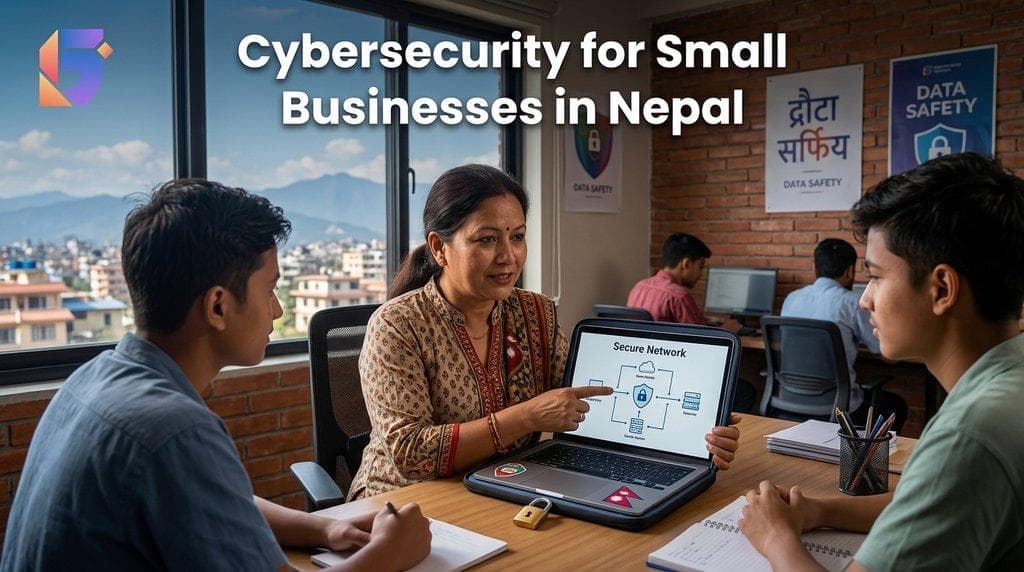
Cybersecurity for Small Businesses in Nepal: Essential Protection
Small businesses increasingly depend on technology to manage customers, process transactions, communicate with employees, store documents, and operate online. From accounting software and business email to websites, cloud applications, and digital payment systems, technology has become an essential part of everyday operations.
However, greater digital dependence also creates security risks.
A compromised email account, ransomware infection, stolen password, or exposed customer database can interrupt operations, damage customer trust, and create unexpected recovery costs. Businesses do not need to be large corporations to become targets of cyberattacks.
Cybersecurity for small businesses in Nepal is therefore an important part of business continuity, data protection, and responsible technology management.
Whether you operate a retail shop in Kathmandu, a manufacturing company, a professional service firm, an online store, or a growing technology business, protecting your digital assets should be a priority.
The good news is that effective cybersecurity does not always require a large IT department or an expensive security infrastructure. Many essential protections begin with strong passwords, multifactor authentication, regular software updates, secure backups, employee awareness, and a clear response plan.
This guide explains the common cybersecurity risks facing small businesses, the essential protection measures to implement, and how businesses in Nepal can build a practical security strategy.
Why Is Cybersecurity Important for Small Businesses in Nepal?
Small businesses in Nepal increasingly rely on digital tools to manage daily operations. Retailers use digital payment systems, service providers store customer records online, and growing companies depend on cloud software, business email, websites, and accounting applications.
Each digital system introduces information that needs protection.
Cybersecurity is important for several reasons.
- Financial protection: Fraud, compromised accounts, and business email scams can lead to financial losses.
- Customer trust: Customers expect businesses to handle their personal and financial information responsibly.
- Operational continuity: Malware or unauthorized access can disrupt daily operations.
- Data protection: Businesses need to protect customer records, employee information, financial documents, and confidential files.
- Business reputation: A security incident can affect relationships with customers, suppliers, and business partners.
- Business growth: Strong security practices help organizations manage technology risks as they expand.
The National Institute of Standards and Technology (NIST) provides a cybersecurity framework and a dedicated quick-start guide to help small businesses identify, manage, and reduce cybersecurity risks. These resources can be useful even for organizations without a dedicated security team.
Common Cybersecurity Threats Facing Small Businesses
Understanding common threats helps businesses decide where to invest in protection.
1. Phishing attacks
Cybercriminals send fraudulent emails, messages, or login links designed to trick employees into revealing passwords, downloading malware, or authorizing payments.
2. Ransomware and malware
Malicious software can disrupt systems, steal information, encrypt files, or prevent employees from accessing business data.
3. Stolen or weak passwords
Reused passwords, compromised credentials, and accounts without additional authentication can allow unauthorized access to business systems.
4. Business email compromise
Attackers may impersonate a business owner, supplier, or employee to request payments, change bank details, or obtain confidential information.
5. Outdated software
Unpatched operating systems, applications, routers, and website components may contain vulnerabilities that attackers can exploit.
6. Insecure networks and remote access
Poorly secured Wi-Fi, exposed remote-access services, and unsafe device configurations can increase the risk of unauthorized access.
These threats can affect organizations of different sizes. Small businesses should prioritize protections based on their systems, the information they handle, and the consequences of a security incident.
12 Essential Cybersecurity Measures for Small Businesses
Small businesses do not need to implement every advanced security technology immediately. A practical approach is to establish basic protections first, then strengthen them according to business risk.
1. Use Strong Passwords and a Password Manager
Weak or reused passwords can expose multiple business accounts when one service is compromised.
Create a password policy that requires employees to use unique, sufficiently long passwords for business accounts.
Recommended practices include:
- Use unique passwords for email, banking, accounting, and administrative accounts.
- Use a reputable password manager to store credentials securely.
- Avoid sharing passwords through ordinary chat messages or unsecured documents.
- Change default passwords on routers, devices, and business applications.
- Remove or change credentials when an employee leaves or changes roles.
Where possible, use passkeys or other phishing-resistant authentication methods supported by the relevant service.
2. Enable Multifactor Authentication
Multifactor authentication (MFA) requires users to provide an additional verification factor beyond their password.
Depending on the service, this may involve an authenticator application, security key, passkey, or another supported verification method.
Enable MFA first on high-value accounts, including:
- Business email
- Cloud storage
- Accounting software
- ERP and CRM systems
- Website administration
- Domain registrar accounts
- Remote-access services
MFA makes unauthorized account access more difficult when a password is stolen. Phishing-resistant methods, such as supported security keys or passkeys, offer stronger protection against certain credential-theft attacks.
3. Keep Software and Devices Updated
Software updates frequently include security fixes.
Businesses should maintain an inventory of computers, mobile devices, routers, operating systems, applications, and website components.
Set a process for:
- Enabling automatic updates where appropriate.
- Applying security patches promptly.
- Updating website plugins and frameworks.
- Replacing unsupported operating systems and applications.
- Updating router and firewall firmware.
- Reviewing devices that cannot be updated.
For organizations using older software, consult the vendor about supported versions and migration options.
4. Back Up Important Business Data
A backup can help a business recover from accidental deletion, hardware failure, ransomware, or other disruptions.
However, simply copying files to another folder on the same computer is not sufficient protection against every incident.
A stronger backup strategy should include:
- Regular backups of critical files and databases.
- A separate backup location.
- Offline or immutable backups where feasible.
- Access controls that prevent ordinary users from deleting all backup copies.
- Encryption where appropriate.
- Periodic restoration tests.
The key question is not only whether your business has backups. It is whether the business can restore its data within an acceptable timeframe.
Official small-business cybersecurity guidance from the U.S. Federal Trade Commission also recommends regular backups, software updates, access controls, and incident-response planning.
5. Train Employees to Recognize Phishing
Employees are often the first people to encounter suspicious emails, messages, attachments, and payment requests.
Provide practical training that explains how to identify:
- Unexpected attachments.
- Urgent requests for money.
- Fake password-reset notifications.
- Suspicious login pages.
- Unexpected changes to supplier bank details.
- Messages that imitate managers or executives.
- Requests to share confidential information.
Employees should have a simple way to report suspicious messages without fear of being blamed for asking questions.
Important: Verify unusual payment instructions and changes to bank details using a known, independently confirmed contact method rather than relying on the contact information in the request.
6. Secure Your Business Wi-Fi and Network
A business network connects computers, printers, mobile devices, servers, and other systems. If poorly configured, it can create opportunities for unauthorized access.
Essential network protection includes:
- Changing default router administrator credentials.
- Using modern Wi-Fi encryption supported by your devices.
- Updating router firmware.
- Disabling unnecessary remote administration.
- Creating a separate guest Wi-Fi network.
- Restricting access to administrative interfaces.
- Using a properly configured firewall.
- Separating sensitive systems from less-trusted devices where appropriate.
Businesses with multiple offices or remote workers should also review how employees connect to internal systems.
7. Restrict Access to Sensitive Information
Not every employee needs access to every business record.
A staff member responsible for sales may need customer and order information but not full administrative access to payroll or financial systems.
Apply the principle of least privilege: give users only the permissions required for their responsibilities.
Review access to:
- Customer databases
- Financial records
- Employee information
- Cloud storage
- ERP and accounting systems
- Website administration
- Network equipment
- Backup infrastructure
Remove unnecessary accounts and permissions promptly when employees leave or change responsibilities.
8. Protect Business Email
Business email is frequently involved in phishing, impersonation, and payment fraud.
In addition to MFA, businesses should:
- Use a reputable business email service.
- Restrict administrator privileges.
- Review suspicious login alerts.
- Establish processes for reporting phishing.
- Configure email authentication, including SPF, DKIM, and DMARC where appropriate.
- Verify unusual financial requests through another communication channel.
These email authentication mechanisms help receiving systems evaluate whether messages are authorized to use a domain and whether message content has been altered. They do not eliminate every type of email fraud.
9. Secure Your Website and Online Applications
For businesses that rely on websites, online stores, booking systems, or customer portals, website security is part of business security.
Important measures include:
- Keeping the content management system and plugins updated.
- Enforcing MFA for administrator accounts.
- Using HTTPS with valid certificates.
- Removing unused plugins and extensions.
- Maintaining website and database backups.
- Restricting access to hosting accounts.
- Monitoring for suspicious changes.
- Testing updates before deploying major changes where practical.
Businesses using custom software should also review access controls, input validation, dependencies, logging, and secure development practices.
10. Secure Mobile Devices and Remote Work
Employees may access business information through laptops, smartphones, and tablets outside the office.
Set policies covering:
- Device screen locks.
- Device encryption.
- Automatic security updates.
- Approved applications.
- Secure remote access.
- Lost-device reporting.
- Separation of personal and business information where possible.
Avoid exposing remote desktop services directly to the internet without appropriate security controls. Remote access should be designed and maintained by someone with the necessary technical expertise.
11. Protect Financial Transactions
Financial fraud can occur even when an organization's main systems have not been compromised.
Introduce clear payment controls:
- Require additional approval for high-value transactions.
- Verify changes to supplier payment details independently.
- Separate payment preparation from approval where practical.
- Restrict access to online banking.
- Enable transaction notifications where available.
- Review unusual transactions promptly.
These measures are particularly useful for businesses where one person handles supplier communication, invoice processing, and payment authorization.
12. Develop an Incident Response Plan
Even well-managed businesses cannot eliminate every cybersecurity risk.
An incident response plan helps employees understand what to do when something goes wrong.
Include procedures for:
- Reporting suspicious activity.
- Contacting the designated IT or security lead.
- Isolating affected devices when appropriate.
- Protecting unaffected systems and backups.
- Preserving relevant evidence.
- Contacting affected service providers.
- Assessing whether data has been exposed.
- Restoring systems safely.
- Communicating with affected parties where necessary.
- Reviewing the incident and improving controls.
If ransomware or a suspected compromise occurs, do not immediately wipe affected systems or restore backups without assessing the situation. A qualified incident-response professional can help preserve evidence, limit further damage, and guide recovery.
Cybersecurity Costs: What Should a Small Business Budget For?
Cybersecurity costs vary depending on the size of the business, the sensitivity of its information, its existing technology, and the risks it needs to address.
A business with a few computers and basic cloud applications may need a different approach from a company operating several branches, an online store, and an integrated ERP system.
Rather than starting with expensive products, assess the protections already available through your existing services.
| Security Area | Initial Priority | Potential Cost Factors |
|---|---|---|
| Passwords and MFA | High | Existing service features, authentication tools |
| Software updates | High | IT staff time, supported software |
| Backups | High | Storage, backup software, recovery testing |
| Employee training | High | Training time, learning resources |
| Network security | High | Router, firewall, configuration |
| Endpoint protection | Based on risk | Device count, licensing, management |
| Security assessment | Based on complexity | Specialist time, scope of assessment |
| Monitoring and incident response | Based on risk | Coverage hours, tools, service agreement |
A practical budgeting approach is to identify your most important assets, assess the consequences of losing access to them, and prioritize controls accordingly.
Do not measure cybersecurity solely by the number of tools purchased. Effective configuration, maintenance, employee awareness, and tested recovery processes matter just as much.
Cybersecurity and Data Protection Considerations in Nepal
Businesses operating in Nepal should consider applicable legal, contractual, and industry-specific requirements alongside technical protection.
Depending on the business, relevant considerations may include:
- Protection of customer and employee information.
- Access to and retention of financial records.
- Security of online transactions.
- Website and application security.
- Handling of personal or confidential information.
- Requirements imposed by customers, suppliers, or business partners.
- Reporting and response obligations that may apply to particular incidents.
Nepal's legal and regulatory requirements depend on the activity, information involved, and applicable laws. Businesses should consult qualified legal or compliance professionals when determining their obligations rather than assuming that one general security checklist satisfies every requirement.
How to Build a Cybersecurity Plan for Your Business?
A cybersecurity plan does not need to be complicated to be useful. It should establish clear priorities, assign responsibilities, and define how the business will respond to problems.
NIST's Cybersecurity Framework 2.0 organizes risk management around six functions: Govern, Identify, Protect, Detect, Respond, and Recover. Small businesses can use this as a practical structure for building and improving their security practices.
Step 1: Identify Your Critical Assets
List the systems and information your business depends on, including:
- Business email
- Accounting and ERP systems
- Customer and supplier records
- Employee information
- Websites and online stores
- Financial accounts
- Shared files
- Devices and networks
Step 2: Assess the Risks
Ask what could happen if a system were compromised, unavailable, or lost.
For example, losing access to accounting records may delay billing and financial reporting. A compromised email account may expose confidential conversations or enable fraudulent payment requests.
Step 3: Prioritize Essential Protections
Begin with practical safeguards such as MFA, updates, backups, access restrictions, employee training, and secure network configurations.
Address urgent weaknesses before investing in advanced tools that may not be necessary yet.
Step 4: Assign Responsibilities
Decide who will manage updates, review access, monitor alerts, test backups, and coordinate incident response.
Small businesses can assign these responsibilities internally or engage an external IT provider where appropriate.
Step 5: Review and Improve
Review security controls periodically and after major changes, such as adopting new software, opening a branch, changing providers, or introducing remote access.
Cybersecurity is an ongoing process rather than a one-time installation.
When Should a Small Business Hire Cybersecurity or IT Support?
Basic cybersecurity measures can be managed internally in some organizations. However, professional support may be valuable when a business lacks the expertise or resources to assess and manage its risks.
Consider engaging an IT or cybersecurity professional if:
- Your business handles sensitive customer or financial information.
- You use several interconnected business systems.
- You have multiple offices or remote employees.
- Your website or online platform is critical to revenue.
- You need a formal security assessment.
- You lack reliable backups or a tested recovery process.
- You suspect an account or system has been compromised.
- You need help establishing security policies or incident-response procedures.
- You must assess security requirements imposed by customers or regulators.
An IT partner can help assess the current environment, identify weaknesses, recommend appropriate controls, and establish a realistic improvement plan.
When choosing a provider, ask about its technical expertise, service scope, incident-response availability, documentation, confidentiality practices, and ongoing support arrangements.
Frequently Asked Questions (FAQ's):
Q. Why is cybersecurity important for small businesses in Nepal?
Cybersecurity helps small businesses protect financial information, customer records, business email, websites, and operational systems from unauthorized access, fraud, malware, and data loss.
Q. What are the most common cybersecurity threats for small businesses?
Common threats include phishing, ransomware, stolen passwords, business email compromise, outdated software, insecure networks, and unauthorized access to business information.
Q. How can a small business improve cybersecurity without a large budget?
Start with unique passwords, MFA, software updates, protected backups, employee training, restricted access, and a documented incident-response plan. These measures provide a foundation before more advanced security investments.
Q. Does a small business need a cybersecurity expert?
Not every small business needs a full-time cybersecurity specialist. However, professional support can be useful for security assessments, complex networks, sensitive data, incident response, and systems that the business cannot confidently secure itself.
Q. How often should a business back up its data?
Backup frequency depends on how much data the business can afford to lose and how quickly it needs to recover. Important operational data may require daily or more frequent backups. Businesses should also test whether their backups can be restored successfully.
Q. What is multifactor authentication?
Multifactor authentication requires users to verify their identity using an additional factor beyond a password. It helps protect accounts if a password is stolen or exposed.
Q. How can employees identify phishing emails?
Employees should be cautious of unexpected attachments, suspicious links, urgent payment requests, unusual login prompts, and messages requesting confidential information. Unusual financial instructions should be verified through a trusted alternative channel.
Q. Is antivirus software enough to protect a business?
No. Antivirus or endpoint protection is only one layer of security. Businesses also need account protection, updates, backups, access controls, employee training, network security, and incident-response planning.
Q. How can I protect my business website from cyberattacks?
Keep software and plugins updated, use MFA for administrator accounts, maintain backups, restrict hosting access, enable HTTPS, remove unused components, and monitor for suspicious activity.
Q. What should a business do after discovering a cyberattack?
Report the incident to the designated IT or security contact, isolate affected devices when appropriate, protect unaffected systems, preserve evidence, and seek qualified incident-response assistance. Assess data exposure and notify relevant parties or authorities when required.
Q. What is the role of an IT partner in cybersecurity?
An IT partner can assess risks, configure security controls, manage updates, improve access management, establish backup procedures, support monitoring, and help develop an incident-response plan, depending on the services agreed upon.
Q. Does cybersecurity matter for businesses that use cloud software?
Yes. Cloud providers secure aspects of their infrastructure, but customers still need to manage responsibilities such as user access, MFA, data sharing, device security, configuration, and recovery, depending on the service.
Q. How often should a small business review its cybersecurity?
Review security regularly and whenever significant changes occur, such as adding new systems, hiring employees, opening branches, changing providers, or experiencing a security incident. High-risk controls may need more frequent checks.
Conclusion: Make Cybersecurity Part of Your Business Strategy
Cybersecurity for small businesses in Nepal is not only a technical responsibility. It is part of protecting customer trust, financial resources, business information, and daily operations.
Businesses can begin with practical steps: secure accounts with MFA, update software, maintain protected backups, train employees, restrict access, secure networks, and establish a clear response plan.
As operations become more complex, a structured risk assessment and professional IT guidance can help identify which protections deserve priority.
The objective is not to eliminate every possible threat. It is to reduce avoidable risks, detect problems sooner, and improve the business's ability to recover when an incident occurs.
Need Help Securing Your Business Technology?
Geofinity Pvt. Ltd. helps businesses in Nepal explore technology and IT solutions aligned with their operational needs. Contact the team to discuss your technology environment and security requirements.
Geofinity Solutions Pvt. Ltd.
Location: Baluwatar 4, Kathmandu, Nepal
Email: [email protected]
Phone: +977 9802372660
Contact Geofinity Pvt. Ltd. to discuss your business technology needs.