Let's be honest:
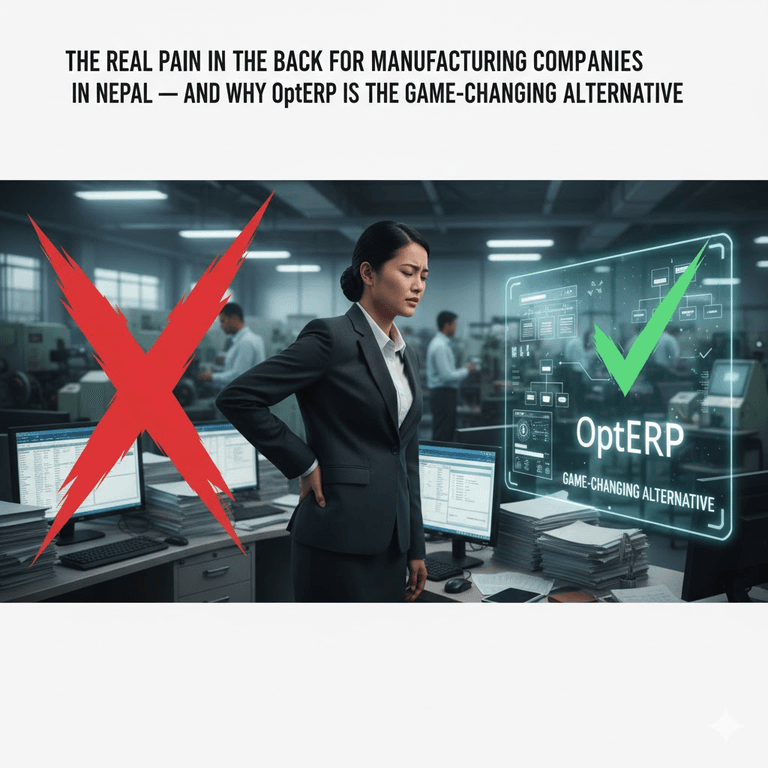
Running a manufacturing company in Nepal can be a real pain in the back.
Whether you're operating in:
• steel
• furniture
• FMCG
• garments
• plastics
• food processing
• pharmaceuticals
• construction materials
• automobile parts
• or other manufacturing segments
the operational problems can quickly become complex
A factory has to coordinate:
Raw Materials + Suppliers + Inventory + Machines + Workers + Production + Quality + Warehouses + Sales + Finance + Logistics
When these processes depend heavily on spreadsheets, paper records, disconnected applications, or manual communication, • small errors can turn into expensive problems.
Common challenges include:
• Stock mismatches
• Production delays
• Manual record-keeping
• Limited real-time visibility
• Departmental miscommunication
• Poor raw-material tracking
• Production planning difficulties
• Material wastage
• Costing problems
• The never-ending Excel sheets
These problems don't simply create administrative headaches.
They can affect:
Cost → Productivity → Delivery → Cash Flow → Customer Satisfaction → Profitability
And the pressure is particularly important in Nepal's manufacturing environment.
The World Bank reported that Nepal's manufacturing subsector rebounded from a 2.0% contraction in FY2024 to 3.8% growth in FY2025. However, manufacturing growth slowed to 2.1% in the first half of FY2025/26, with weak domestic demand affecting several subsectors.
This makes operational efficiency more than a technology trend.
It becomes a competitiveness issue.
And this is where a manufacturing ERP can make a meaningful difference.
OptERP – Manufacturing, developed by Geofinity Solutions, is positioned as an integrated ERP platform designed to connect production, procurement, inventory, quality, costing, logistics, and other business operations. Geofinity's product materials describe features including production planning and scheduling, BOM management, inventory and warehouse control, shop-floor management, quality control, work-order automation, costing and waste analysis, HRM, CRM, and delivery/logistics.
The Bigger Picture: Why Manufacturing Efficiency Matters in Nepal?
Nepal's manufacturing sector operates within a challenging economic environment.
The World Bank has identified structural constraints including:
• low productivity,
• logistics and transport weaknesses,
• infrastructure limitations,
• trade-related constraints,
• limited export competitiveness,
• and a manufacturing sector that has declined from an already relatively low base.
At the same time, manufacturing remains important for creating value, employment, import substitution, and export opportunities.
Nepal's Industrial Enterprises Act classifies manufacturing industries around the production or processing of raw, auxiliary, or semi-processed materials into goods.
For manufacturers, therefore, the question isn't simply:
"How do we produce more?"
It is increasingly:
"How do we produce more efficiently, with better visibility and less waste?"
That requires better information.
And better information requires connected systems.
The Manufacturing Problems No One Wants to Admit
1. Inventory Guesswork
One of the most expensive problems in manufacturing is not knowing exactly what is available.
Imagine a production manager receives an order for 5,000 units.
The production plan requires:
• 2,000 kg of raw material A
• 1,000 kg of raw material B
• packaging materials
• machine capacity
• labor
• and other components
But the inventory spreadsheet says there is enough stock.
The warehouse says otherwise.
Production discovers the shortage only after the work order has started.
The result?
Production stops.
This creates a chain reaction:
Stock shortage → Production delay → Idle resources → Delayed delivery → Customer dissatisfaction
A connected inventory system can instead provide visibility into:
• current stock
• reserved stock
• available stock
• incoming materials
• issued materials
• damaged materials
• batch information
• and reorder requirements
2. No Real-Time Production Visibility
A factory floor changes constantly.
Machines start and stop.
Materials move.
Workers change shifts.
Orders get delayed.
Quality issues appear.
Production quantities change.
Yet management may still rely on end-of-day or end-of-week reports.
That creates a dangerous information gap.
Traditional approach:
Factory → Manual Records → Supervisor → Spreadsheet → Manager → Decision
Connected approach:
Factory → Digital Work Order → Real-Time Data → Dashboard → Decision
The second approach allows managers to identify problems earlier.
3. The Excel Problem
Excel is useful.
Very useful.
It is flexible, inexpensive, and familiar.
The problem begins when Excel becomes the manufacturing system.
One department may maintain:
production.xlsx
Another:
inventory-final.xlsx
Another:
purchase-new-final.xlsx
And another:
stock-final-updated-2.xlsx
Soon, nobody knows which file is actually correct.
This can create:
• duplicate data
• inconsistent records
• manual errors
• version conflicts
• delayed reporting
• difficult reconciliation
• and limited traceability
The objective isn't necessarily to eliminate Excel from every part of the business.
It is to stop using disconnected spreadsheets as the source of truth for core manufacturing operations.
4. Slow Decision-Making
Manufacturing decisions often depend on questions such as:
• How much stock do we have?
• What is currently in production?
• Which orders are delayed?
• How much material has been consumed?
• What is the production cost?
• How much wastage occurred?
• Which machines are being underutilized?
• Which products are most profitable?
• What needs to be purchased?
• What can be delivered this week?
If answering these questions requires collecting spreadsheets from multiple departments, management loses valuable time.
An ERP changes the equation by making structured information available through dashboards and reports.
5. Lack of Standardization
Different departments often develop their own processes.
Purchasing has one method.
Warehouse has another.
Production has another.
Quality control has another.
Finance has another.
This creates organizational friction.
A manufacturing ERP can establish standardized workflows around:
Request → Approval → Purchase → Receipt → Inspection → Storage → Production → QC → Finished Goods → Dispatch
Instead of every department operating as an isolated island.
6. Material Wastage
Manufacturing isn't simply about how much material enters a factory.
It is about how efficiently that material becomes a finished product.
Consider:
Raw Material = NPR 10,000,000
If a process repeatedly wastes even a small percentage of material, the annual financial impact can become significant.
Digital production systems can help compare:
Planned Consumption vs Actual Consumption
and:
Standard Cost vs Actual Cost
This makes unusual variances easier to investigate.
7. Poor Production Documentation
Manufacturing depends heavily on documentation.
Examples include:
• Bill of Materials
• work orders
• routing
• material requests
• material issues
• quality inspections
• production records
• batch information
• wastage
• machine usage
• and finished-goods records
When these documents are scattered across paper files and spreadsheets, traceability becomes difficult.
A centralized system creates a structured digital history.
8. Costing Becomes a Guess
Manufacturing profitability depends on knowing what a product actually costs.
That can involve:
Raw Materials + Labor + Machine Time + Overhead + Wastage + Packaging + Other Costs
If only raw-material costs are considered, the apparent margin can be misleading.
Manufacturing ERP systems can help organizations establish standard costs and compare them against actual production costs.
This supports better pricing and profitability analysis.
What Is Manufacturing ERP?
A Manufacturing ERP is an enterprise resource planning system designed to connect the processes involved in producing and selling goods.
A custom ERP in Nepal can help manufacturing companies configure workflows around production planning, inventory, procurement, quality control and supply-chain requirements.
Instead of managing production as a standalone activity, ERP connects it with:
• procurement
• inventory
• warehouses
• production
• quality
• sales
• finance
• HR
• and logistics
A simplified manufacturing ERP ecosystem looks like this:
Sales Order
↓
Demand / Production Planning
↓
Material Requirement
↓
Inventory Check
↓
Purchase
↓
Raw Material Receipt
↓
Quality Inspection
↓
Production
↓
Quality Control
↓
Finished Goods
↓
Warehouse
↓
Sales / Dispatch
↓
Billing & Finance
The important part is that information flows between these stages.
OptERP Manufacturing: The Smarter Alternative
OptERP Manufacturing is positioned as an integrated ERP solution for digitizing and optimizing the production lifecycle—from raw-material procurement to finished-goods delivery. Geofinity's product profile specifically highlights production planning, BOM management, inventory and warehouse control, shop-floor management, quality control, work-order automation, costing and waste analysis, HRM, CRM, and delivery/logistics.
Instead of maintaining separate systems for every department, OptERP aims to bring core manufacturing workflows into one connected environment.
The basic concept:
Purchasing
↓
Inventory
↓
Production
↓
Quality
↓
Warehouse
↓
Sales
↓
Finance
↓
Reporting
This gives management a broader view of the business instead of isolated departmental data.
OptERP Manufacturing: End-to-End Process Flow
Let's break down what a connected manufacturing workflow can look like.
1. Material Request (MR)
The production team identifies the materials required for upcoming production.
A material request can specify:
• item,
• required quantity,
• required date,
• production requirement,
• and requesting department.
This creates a structured starting point.
2. Inventory Check
The system checks available inventory.
For example:
| Material | Required | Available | Status |
| Raw Material A | 1,000 kg | 1,400 kg | Available |
| Raw Material B | 800 kg | 300 kg | Shortage |
| Packaging C | 5,000 units | 6,000 units | Available |
Instead of discovering shortages during production, management can identify them before the production run begins.
3. Purchase Requisition / Purchase Order
When materials are insufficient, procurement can initiate the appropriate purchasing workflow.
This connects:
Production Requirement → Procurement → Supplier → Purchase Order
rather than relying on disconnected communication.
4. Raw Material Receipt
Purchased materials arrive at the warehouse.
The system can record:
- supplier,
- item,
- quantity,
- receipt date,
- batch/lot information where applicable,
- purchase reference,
- and inspection status.
Materials can then move into available inventory after the required checks.
5. Quality Control
Quality should not be an afterthought.
Incoming materials can be inspected before they are released for production.
The workflow can become:
Receipt → Inspection → Accepted / Rejected → Inventory Status
This provides better traceability when materials do not meet specifications.
6. Bill of Materials - BOM
The Bill of Materials (BOM) defines what is required to produce a finished product.
For example:
| Component | Quantity |
| Material A | 5 kg |
| Material B | 2 kg |
| Component C | 4 units |
| Packaging | 1 set |
The BOM becomes the foundation for production planning, material requirements, costing, and material consumption.
7. Work Order Creation
Once production is planned, work orders can define:
• product,
• quantity,
• required materials,
• operations,
• routing,
• workstation,
• machine requirements,
• labor,
• planned start date,
• and expected completion.
This transforms production from an informal instruction into a traceable process.
8. Material Issue to Production
Materials move from warehouse inventory into production.
Instead of manually adjusting multiple spreadsheets, the issue can be recorded against the work order.
This creates a relationship between:
Material → Work Order → Product
That relationship is valuable for costing and traceability.
9. Production Execution
Production staff can record progress against work orders.
Depending on the implementation, the system may capture:
• quantity produced
• quantity rejected
• labor
• machine time
• production status
• material consumption
• and completion
Management can then see what is actually happening rather than waiting for a manually prepared report.
10. Quality Control of Finished Goods
Finished products can go through quality inspection before being released.
Possible outcomes include:
Accepted
Rejected
Rework
This creates a clearer connection between production and quality.
11. Finished Goods Inventory
Once production is completed and the product passes the required checks, finished goods can be transferred into warehouse inventory.
The inventory flow becomes:
Raw Materials → Work in Progress → Finished Goods
This provides a clearer picture of the manufacturing pipeline.
12. Packaging and Dispatch
Once finished goods are available, sales orders can trigger the downstream fulfillment process.
The workflow can connect:
Sales Order → Finished Goods → Picking → Packaging → Dispatch → Invoice
This reduces the gap between production and customer delivery.
The Complete Manufacturing Workflow
The entire process can therefore be represented as:
Demand
↓
Material Requirement
↓
Inventory Check
↓
Purchase
↓
Raw Material Receipt
↓
QC
↓
BOM
↓
Work Order
↓
Material Issue
↓
Production
↓
Quality Inspection
↓
Finished Goods
↓
Warehouse
↓
Sales Order
↓
Packaging & Dispatch
↓
Billing
↓
Financial Reporting
This is what an integrated manufacturing system is ultimately trying to achieve:
One connected flow of information from procurement to production to customer delivery.
Core OptERP Manufacturing Features
Based on Geofinity's current product materials, OptERP Manufacturing includes or is positioned around several key manufacturing capabilities.
| Feature | Manufacturing Purpose |
| Production Planning & Scheduling | Plan production according to demand and capacity |
| BOM Management | Define materials and components required for products |
| Inventory & Warehouse | Track materials, stock and warehouse movement |
| Shop Floor Management | Monitor production activities |
| Quality Control | Track inspection and quality workflows |
| Work Order Automation | Structure and automate production jobs |
| Costing & Waste Analysis | Understand production cost and material variance |
| HRM & People | Manage workforce-related information |
| CRM | Connect customer information with business operations |
| Delivery & Logistics | Coordinate finished-goods movement and delivery |
Geofinity's company profile also lists merchandise mobile monitoring and export-oriented support as planned/coming-soon capabilities, so those should be presented as future capabilities rather than existing features unless separately confirmed.
Why Manufacturing ERP Is Better Than Separate Software?
Imagine a factory using:
- Excel for inventory,
- separate software for accounting,
- paper for production,
- WhatsApp for internal communication,
- another application for sales,
- and manual reports for management.
Every system knows only part of the story.
An ERP attempts to create a shared business database and workflow.
| Without Integrated ERP | With Manufacturing ERP |
| Separate spreadsheets | Centralized information |
| Manual stock updates | Structured inventory transactions |
| Production guesswork | Planned production |
| Disconnected purchasing | Purchase linked to requirements |
| Manual costing | Structured production costing |
| Paper work orders | Digital work orders |
| Delayed reports | Faster management reporting |
| Department silos | Connected workflows |
| Difficult traceability | Transaction history |
| Reactive decisions | More timely decisions |
The goal isn't simply automation.
It is coordination.
Real-Time Manufacturing Visibility
One of the strongest arguments for ERP is visibility.
Management should be able to answer questions such as:
Inventory
• How much raw material is available?
• What is below reorder level?
• What materials are reserved?
• What is currently in transit?
Production
• What is currently being manufactured?
• Which work orders are delayed?
• How much has been produced?
• How much has been rejected?
Quality
• Which batches failed inspection?
• What is being reworked?
• Which products have recurring quality issues?
Finance
• What does each product cost?
• What are the production variances?
• What revenue is pending?
Sales
• Which orders are ready?
• Which orders are delayed?
• What can be dispatched today?
This is the difference between running a factory by reports and running it through connected operational information.
Manufacturing ERP and Cost Control
Cost control is one of the most important reasons to digitize manufacturing.
Consider a simple product:
Material Cost = NPR 500
Labor = NPR 100
Machine/Overhead = NPR 75
Packaging = NPR 25
Total Estimated Cost = NPR 700
But the actual production process may reveal:
• excess material consumption,
• additional machine time,
• overtime,
• defective units,
• rework,
• packaging losses.
Actual cost could therefore be higher than the standard cost.
A manufacturing ERP can help organizations compare:
Planned Cost vs Actual Cost
and investigate the variance.
This supports better:
• pricing,
• budgeting,
• production planning,
• profitability analysis,
• and cost reduction.
BOM + Inventory + Production: The Manufacturing Triangle
Three areas are particularly interconnected:
▸ BOM
What should we use?
▸ Inventory
What do we have?
▸ Production
What did we actually use?
These relationships can be represented as:
BOM
↓
Material Requirement
↓
Inventory Availability
↓
Material Issue
↓
Production
↓
Actual Consumption
↓
Cost & Variance
Without connecting these processes, manufacturers may struggle to understand where material differences are coming from.
Quality Control Should Be Part of the Workflow
Quality control should not exist as a completely separate spreadsheet.
A connected manufacturing process can track quality across multiple stages.
Incoming Quality
Supplier → Material Receipt → Inspection → Accept/Reject
In-Process Quality
Production → Inspection → Pass/Rework/Reject
Finished Product Quality
Finished Goods → Final Inspection → Release/Reject
This creates traceability across the production lifecycle.
Warehouse Management Matters Too
Manufacturing doesn't end when production is complete.
Factories may operate multiple warehouses for:
• raw materials
• semi-finished goods
• finished goods
• spare parts
• packaging
• rejected materials
• and dispatch
A connected ERP can provide visibility across warehouse transactions and transfers.
For organizations operating multiple locations, this becomes even more important.
Nepal-Specific Manufacturing Requirements
A manufacturing ERP should not be evaluated purely on generic international features.
Nepali manufacturers may need to consider:
• local accounting practices
• tax and billing workflows
• procurement processes
• supplier management
• warehouse structures
• local reporting
• connectivity
• support availability
• customization
• and regulatory requirements
Tax compliance is also increasingly digital.
For example, Nepal's Inland Revenue Department currently requires taxpayers with annual turnover above NPR 20 crore, subject to the stated exclusions, to issue electronic invoices and connect the invoicing process with the department's Central Billing Monitoring System (CBMS).
This makes digital billing capability increasingly relevant when evaluating business software.
A manufacturer should therefore ask:
Can our ERP support the way our business actually operates in Nepal?
rather than simply:
How many features does the software have?
Cloud vs On-Premise Manufacturing ERP
Manufacturers may also need to choose between deployment models.
| Cloud ERP | On-Premise ERP |
| Hosted by provider | Hosted on company infrastructure |
| Accessible across locations | Strong local infrastructure control |
| Easier centralized updates | Greater responsibility for updates |
| Lower infrastructure management burden | Greater internal IT responsibility |
| Useful for multi-location operations | Useful where local control is prioritized |
| Depends on reliable connectivity | Can support local network environments |
Manufacturing ERP vs Accounting Software
A common misconception is:
"We already have accounting software, so we already have ERP."
Not necessarily.
Accounting software primarily focuses on financial transactions.
Manufacturing ERP goes much deeper into operational processes.
| Accounting Software | Manufacturing ERP |
| Revenue | Sales + production |
| Expenses | Procurement + production cost |
| Financial inventory value | Operational inventory |
| Ledger | Work orders + production |
| Financial reports | Production + financial analytics |
| Tax records | Tax + operational transactions |
| Accounts payable | Supplier + purchasing workflow |
| Accounts receivable | Sales + dispatch + billing |
Accounting remains important.
But manufacturing organizations need to understand what happens before the accounting entry is created.
Manufacturing ERP vs Generic ERP
A generic ERP may provide:
• accounting,
• HR,
• sales,
• purchasing,
• inventory.
A manufacturing-focused ERP goes deeper into:
• BOM,
• routing,
• work orders,
• production planning,
• shop floor,
• material consumption,
• quality,
• production costing,
• wastage,
• and finished goods.
For manufacturers, the difference can be significant.
The ERP should understand not only:
"We sold 1,000 units."
but also:
"What materials, machines, labor, time and processes were required to produce those 1,000 units?"
What Is Industry 4.0 and Where Does ERP Fit?
Industry 4.0 is often associated with:
• automation,
• IoT,
• connected machines,
• analytics,
• cloud computing,
• AI,
• robotics,
• and real-time monitoring.
But digital transformation doesn't have to begin with robots.
A more practical progression can be:
Paper
↓
Spreadsheets
↓
ERP
↓
Integrated Systems
↓
Real-Time Analytics
↓
IoT / Machine Integration
↓
AI & Advanced Automation
For many Nepali manufacturers, getting the fundamentals right may be the most important first step.
A clean BOM.
Accurate inventory.
Digital work orders.
Structured production data.
Reliable costing.
These foundations create the data required for more advanced technologies later.
The Role of Mobile Manufacturing
Manufacturing doesn't happen behind a desk.
Operators and supervisors are often moving around:
• production floors,
• warehouses,
• loading areas,
• quality stations,
• and dispatch zones.
Mobile access can therefore make manufacturing systems more practical.
Depending on the implementation, mobile workflows can support:
• production updates,
• stock movements,
• inspections,
• work-order status,
• approvals,
• and operational monitoring.
This can reduce the gap between what happens physically and what gets recorded digitally.
Manufacturing Dashboards for Management
Executives shouldn't need to read dozens of spreadsheets to understand the factory.
A useful dashboard might display:
Production
Today's Production: 8,500 units
Target: 10,000 units
Completion: 85%
Inventory
Critical Items: 7
Low Stock Items: 18
Raw Material Value: NPR XX
Quality
Accepted: 97%
Rejected: 2%
Rework: 1%
Orders
Pending: 24
Ready to Dispatch: 12
Delayed: 4
The exact metrics will vary by manufacturer.
The important principle is:
Management should see the information that supports decisions—not simply more data.
How OptERP Can Help Solve the Manufacturing "Pain Points"
| Manufacturing Pain Point | ERP Response |
| Stock mismatch | Centralized inventory records |
| Production delays | Planning and work-order visibility |
| Excel dependency | Integrated digital workflows |
| Material shortage | Inventory and procurement visibility |
| Poor BOM tracking | Structured BOM management |
| Production confusion | Work orders and shop-floor management |
| Quality problems | QC workflow integration |
| High wastage | Costing and waste analysis |
| Poor costing | Standard/actual cost visibility |
| Department silos | Shared information |
| Delayed reporting | Dashboards and reports |
| Dispatch delays | Delivery and logistics integration |
The objective isn't to promise that software will eliminate every manufacturing problem.
Instead, ERP gives the organization a better operating system for managing those problems.
Benefits of OptERP Manufacturing
✔ Better Inventory Visibility
Know what materials are available, what has been reserved, what is being consumed, and what needs replenishment.
✔ More Structured Production Planning
Connect demand, material requirements, work orders, and production schedules.
✔ Better BOM Management
Maintain structured product compositions and production requirements.
✔ Improved Material Traceability
Connect materials to production activities and finished products.
✔ Better Quality Visibility
Record inspection and quality information as part of the operational workflow.
✔ Stronger Cost Control
Compare planned and actual production costs and identify potential sources of variance.
✔ Reduced Manual Data Entry
Automate repetitive transactions and reduce duplicated record keeping.
✔ Better Departmental Coordination
Purchasing, warehouse, production, sales, quality, and finance can work from connected information.
✔ Faster Management Reporting
Dashboards and reports can provide more timely information for operational decisions.
✔ Scalable Operations
A connected ERP architecture can support organizations as operations, products, warehouses, and teams expand.
Geofinity describes OptERP more broadly as a customizable ERP platform intended to streamline operations, provide real-time insights, optimize inventory and supply chains, and support scalability across industries.
Choosing a Manufacturing ERP in Nepal
Before purchasing manufacturing software, companies should evaluate more than the sales demonstration.
1. Manufacturing Fit
Does it understand your actual production process?
2. BOM Capability
Can it handle simple and multi-level BOMs where required?
3. Production Planning
Can production be planned according to demand and available resources?
4. Inventory
Can it manage raw materials, WIP, finished goods, warehouses, batches, and stock movements?
5. Quality
Can quality checks be integrated into receiving and production?
6. Costing
Can the organization understand product and production costs?
7. Reporting
Can management create useful production and business reports?
8. Integration
Can the ERP connect with accounting, sales, logistics, machines, or other systems where needed?
9. Scalability
Can it support additional warehouses, products, users, and locations?
10. Local Support
Can the vendor provide implementation, training, troubleshooting, and customization within Nepal?
11. Deployment
Does the vendor support the deployment model appropriate for the factory?
12. Total Cost
Consider:
License + Implementation + Customization + Training + Infrastructure + Support + Upgrades
rather than looking only at the initial software price.
Manufacturing ERP Implementation: Technology Isn't Enough
Installing ERP software is not the same as transforming a factory.
Implementation should begin with understanding the existing processes.
A practical sequence is:
Process Mapping
↓
Data Cleaning
↓
ERP Configuration
↓
BOM Preparation
↓
Inventory Preparation
↓
Workflow Setup
↓
Testing
↓
Staff Training
↓
Pilot
↓
Phased Rollout
↓
Continuous Improvement
This matters because ERP systems often expose problems that were previously hidden.
For example:
• duplicate products,
• incorrect stock,
• incomplete BOMs,
• inconsistent units,
• inactive suppliers,
• incorrect costs,
• or undocumented production processes.
These issues need to be addressed rather than simply transferred into the new system.
Data Quality Is the Foundation
Imagine installing a sophisticated ERP but importing:
• incorrect stock quantities,
• duplicate products,
• incomplete BOMs,
• wrong supplier information,
• and inconsistent units of measurement.
The software will produce technically correct reports based on incorrect data.
That is why:
Good ERP + Bad Data = Bad Decisions
Before implementation, manufacturers should clean and standardize:
• item masters,
• units,
• warehouses,
• suppliers,
• customers,
• BOMs,
• opening inventory,
• prices,
• and other master data.
Staff Adoption Is Critical
ERP implementation isn't only an IT project.
It affects:
Warehouse Staff
Production Operators
Supervisors
Quality Teams
Procurement
Sales
Finance
Management
If employees don't understand why the system exists or find it difficult to use, adoption can suffer.
Training should therefore focus on actual job workflows, not simply software features.
For example:
Instead of teaching a warehouse employee every ERP module, teach them:
Receive → Inspect → Store → Issue → Transfer → Count
in the context of their actual responsibilities.
The Future of Manufacturing ERP in Nepal
The future will likely move beyond basic ERP.
Manufacturers can increasingly build on ERP data to introduce:
1. Advanced Analytics
Identify production trends and bottlenecks.
2. Demand Forecasting
Use historical data to support purchasing and production planning.
3. Machine Integration
Connect production equipment with operational systems where technically and economically appropriate.
4. IoT
Collect machine and environmental data.
5. Predictive Maintenance
Use machine information to identify potential maintenance requirements.
6. AI-Assisted Planning
Support demand forecasting, inventory planning, scheduling, and anomaly detection.
7. Digital Quality Management
Track recurring defects and quality trends.
8. Supply Chain Intelligence
Improve visibility across suppliers, purchasing, inventory, and logistics.
But these capabilities depend on something much more fundamental:
Reliable digital data.
That makes ERP an important foundation for future manufacturing technology.
From Factory Chaos to Connected Manufacturing
Consider two factories.
▸ Factory A
Sales
↓
↓
Purchase
↓
Excel
↓
Warehouse
↓
Paper
↓
Production
↓
Spreadsheet
↓
Quality
↓
Paper
↓
Finance
↓
Accounting Software
↓
Management
↓
Manual Report
Every step creates another information gap.
▸ Factory B
Sales
↓
ERP
↓
Production Planning
↓
Procurement
↓
Inventory
↓
Work Order
↓
Production
↓
Quality
↓
Finished Goods
↓
Dispatch
↓
Billing
↓
Dashboard
The second factory isn't automatically perfect.
But its processes are connected.
That is the real value of ERP.
Is OptERP the Right Manufacturing ERP for Your Business?
There is no universal ERP that is perfect for every factory.
The right system depends on:
• manufacturing type,
• production complexity,
• company size,
• number of warehouses,
• number of users,
• product variety,
• regulatory requirements,
• integration requirements,
• budget,
• and future growth plans.
OptERP Manufacturing is positioned for organizations looking to connect production with procurement, inventory, quality, costing, people, customer management, and logistics rather than treating manufacturing as an isolated department.
For a Nepali manufacturer currently relying on spreadsheets and disconnected systems, the important question is not:
"Can ERP solve everything?"
It is:
"How much time, information, material, and decision-making capacity are we losing because our systems are disconnected?"
Conclusion: Manufacturing Doesn't Have to Be This Painful
Manufacturing will always involve complexity.
Machines will break.
Orders will change.
Suppliers will delay materials.
Quality problems will happen.
Customers will change requirements.
These things cannot be eliminated by software.
But the information chaos surrounding them can be reduced.
A modern manufacturing ERP can connect:
Procurement
↓
Inventory
↓
BOM
↓
Production
↓
Quality
↓
Costing
↓
Warehouse
↓
Sales
↓
Dispatch
↓
Finance
When these workflows operate within a connected system, management gets better visibility into what is happening across the business.
For Nepal's manufacturing sector, that matters.
The World Bank has highlighted productivity, infrastructure, logistics, and competitiveness as important structural challenges for Nepal's industrial development. At the same time, manufacturing has shown signs of recovery while facing renewed pressure from weak demand and other economic constraints.
Manufacturers therefore need to look for ways to become:
More efficient.
More data-driven.
Less wasteful.
More responsive.
More competitive.
ERP isn't a magic button.
But it can become the digital backbone that connects the factory.
And that is the real promise of OptERP Manufacturing:
Not simply replacing Excel.
Not simply adding another software system.
But creating a connected manufacturing operation where information moves as efficiently as materials.
Get more knowledge on: Top 10 ERP in Nepal , Nepal's Booming IT Sector
Frequently Asked Questions (FAQs):
Q. What is manufacturing ERP software?
Manufacturing ERP software is a business management system designed to connect manufacturing operations with areas such as procurement, inventory, production, quality, sales, finance, HR, and logistics.
Q. Why do manufacturing companies in Nepal need ERP?
Manufacturers can use ERP to improve visibility across inventory, procurement, production, costing, quality, sales, and finance. It can also reduce dependence on disconnected spreadsheets and manual workflows.
Q. What is the difference between ERP and manufacturing software?
Manufacturing software may focus primarily on production activities. An ERP connects manufacturing with broader business functions such as accounting, procurement, inventory, HR, sales, CRM, and logistics.
Q. Can ERP replace Excel in manufacturing?
ERP can replace spreadsheets for many core operational workflows, but Excel can still remain useful for analysis, ad-hoc calculations, and specialized tasks. The goal is to avoid using disconnected spreadsheets as the primary source of operational truth.
Q. What is a BOM in manufacturing?
A Bill of Materials (BOM) is a structured list of the materials, components, quantities, and sometimes operations required to manufacture a product.
Q. Why is BOM management important?
BOMs form the basis for material planning, production requirements, inventory consumption, costing, and production execution. Incorrect BOMs can lead to material shortages, excess consumption, and inaccurate costing.
Q. What is a work order?
A work order is a structured instruction to manufacture a specific product or quantity. It can contain information such as required materials, operations, routing, schedule, workstation, and production quantity.
Q. Can manufacturing ERP track raw materials?
Yes. Manufacturing ERP systems can track raw-material purchases, receipts, warehouse movements, issues to production, consumption, transfers, and remaining stock depending on the system's functionality.
Q. Can ERP help reduce manufacturing waste?
ERP does not automatically eliminate waste, but structured production and inventory data can make material consumption, production variances, rejection, rework, and other sources of waste more visible.
Q. Can manufacturing ERP track production costs?
Depending on the system, manufacturing ERP can track or calculate costs associated with materials, labor, machine usage, overhead, wastage, and other production factors.
Q. What is shop-floor management?
Shop-floor management refers to monitoring and coordinating activities occurring directly on the manufacturing floor, including work orders, production progress, operators, machines, materials, and quality activities.
Q. Can ERP connect production with inventory?
Yes. An integrated manufacturing ERP can connect material requirements, inventory availability, material issues, consumption, work orders, and finished-goods production.
Q. Is manufacturing ERP useful for small factories?
Yes. Small manufacturers can benefit from better inventory control, production planning, costing, purchasing, and reporting. However, implementation should be appropriately scaled to the organization's size and operational complexity.
Q. Is cloud ERP better than on-premise ERP for manufacturers?
Neither is universally better. The right choice depends on connectivity, infrastructure, security requirements, IT resources, budget, number of locations, and business-continuity requirements.
Q. What should a manufacturer check before buying ERP software?
Manufacturers should evaluate BOM management, production planning, work orders, inventory, warehouse management, quality control, costing, reporting, integration, scalability, usability, implementation support, data migration, security, and total cost of ownership.
Q. Does ERP support Nepal's tax and billing environment?
ERP selection should include an assessment of the organization's specific tax, billing, accounting, and reporting requirements. Nepal's Inland Revenue Department has also expanded electronic invoicing requirements, including a current requirement for taxpayers above the specified NPR 20 crore annual-turnover threshold, subject to the stated exclusions.
Q. What is OptERP Manufacturing?
OptERP Manufacturing is Geofinity's manufacturing-focused ERP solution designed to connect areas such as production planning, BOM management, inventory, warehouse operations, shop-floor management, quality control, work orders, costing, HRM, CRM, and delivery/logistics.
Q. Is OptERP suitable for Nepali manufacturers?
OptERP is developed by Geofinity Solutions in Nepal and is positioned around local business requirements and customizable ERP implementation. Geofinity describes its ERP services as providing customization, implementation, training, support, inventory and supply-chain optimization, and scalability.
Q. What is the future of manufacturing ERP in Nepal?
Manufacturing ERP is likely to evolve toward stronger analytics, cloud and hybrid deployments, mobile workflows, machine integration, IoT, predictive maintenance, AI-assisted planning, and greater supply-chain visibility. The foundation for these technologies remains accurate, structured, and connected operational data.
Q. Can ERP help Nepalese manufacturers compete more effectively?
ERP cannot solve structural issues such as infrastructure, trade costs, logistics, or market demand on its own. However, better production planning, inventory control, costing, quality visibility, and decision-making can help individual manufacturers improve operational efficiency and responsiveness.
Final Thought
The factory of the future doesn't necessarily begin with robots.
It can begin with something much simpler:
Knowing exactly what you have.
Knowing exactly what you need.
Knowing exactly what you're producing.
Knowing exactly what it costs.
Knowing exactly where the order stands.
And having all of that information available when the decision needs to be made.
That is where manufacturing ERP becomes more than software.
It becomes the operating backbone of the factory.